Archive for October, 2005

4

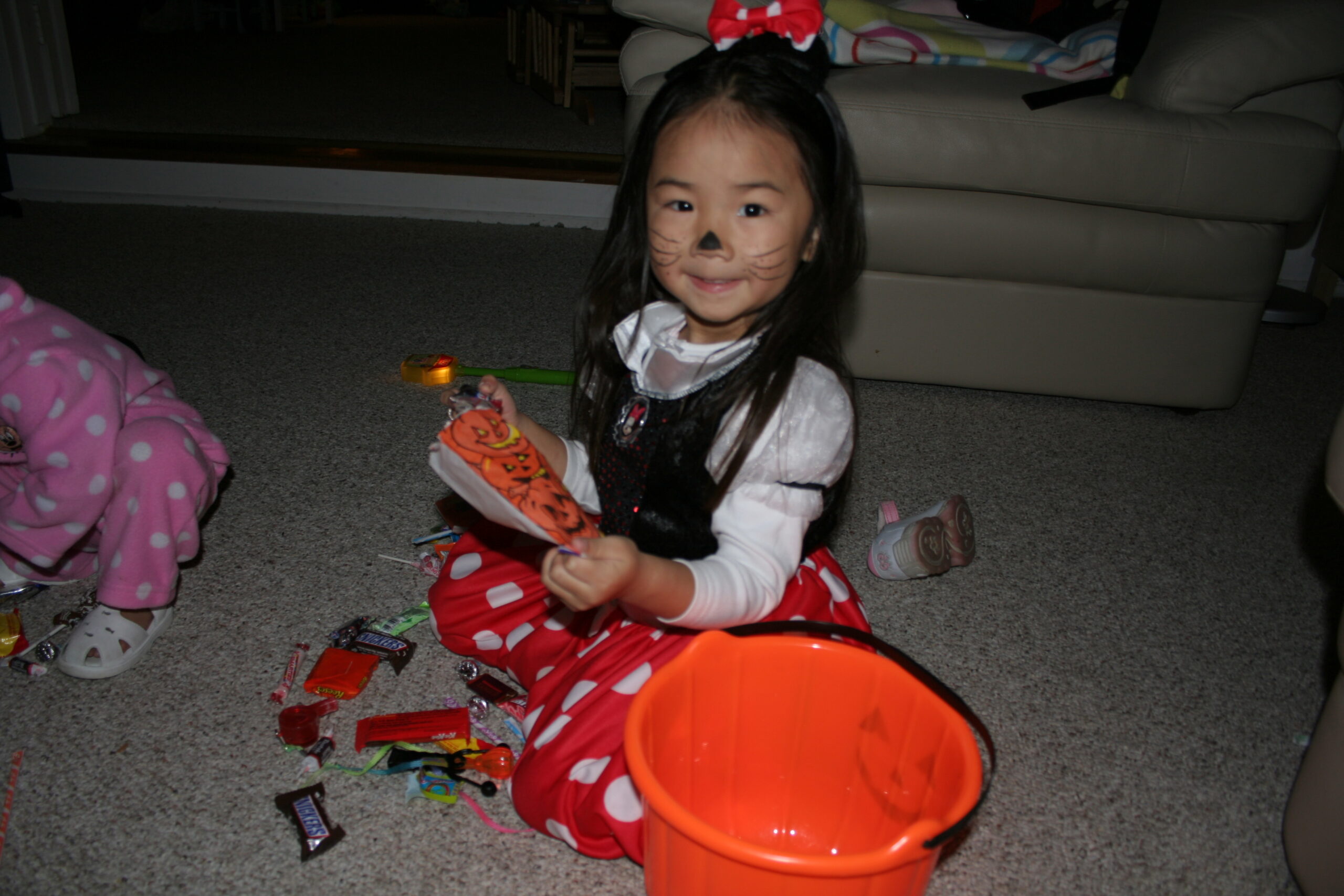
Halloween is always one fun event the kids look forward to. This year both of the girls dressed up as Minnie Mouse. We took them to Great America (an amusement park) for the Nickelodeon Halloween parade. We also visited a pumpkin patch. Suzanne & Betty then took the girls for a quick round of trick-or-treating, after which they, of course, gorged on the candies they worked so hard for!

Allison with Mommy @ a pumpkin patch in Mountain View


1

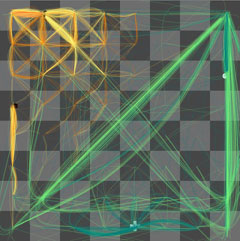
Check out Thinking Machine 4. It’s a chess playing program that displays what the computer is “thinking”. Very cool!

Of course, the computer isn’t really thinking. The program is a form of artificial intelligence. What it really does is compute all possible moves it can make and all possible moves its component can make in response to each of its move, and so on… This is known as a game tree. Each potential move is visualized by a line on the chess board in the program.

Back in my UCLA days, I spent a semester programming a checkers game using game trees like this one in my advanced programming class. The program can play checkers against a human or another program. At the end of the semester, we had a huge checkers tournament where each student’s program is pitted against other students in the class plus the professor’s. The tournnament represented something like 50% of the grade so the students (including yours truly) spent countless hours during the last few weeks tweaking and optimizing their algorithm. Mine used a rather simple but very effective algorithm and it went undefeated, beating the professor’s as well. (yes, I was a geek then too… ;))

I took 1 year worth of courses taught by this professor from the mathematics department. So when I graduated couple years later, I went to Dr. Mark Franzen and asked for a recommendation letter. He did remembered me and we had a pretty good chat. I remember that at the time, he was packing his office to leave for Chicago or somewhere else in the midwest that day. He gave me a nice letter of recommendation which I still keep to this day.

I was curious as to what Dr. Franzen is up to these days, so I googled and found that he’s left academia in the 90’s and founded two companies. He was a CEO for IntelRX somewhere in Wisconsin. Good for him…

0

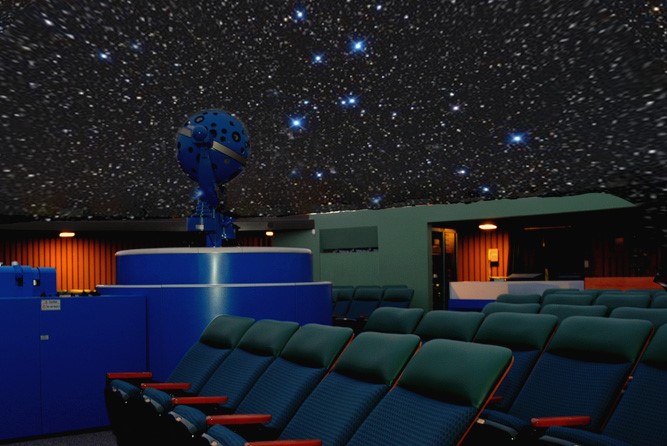
The Planetarium @ De Anza College is putting on a laser light show this month. It has been ages since the last time I caught a laser show so I figured it would be fun for the family. But Suzanne felt like going to bed early with Allison, so I took Katelyn with me to catch the 8:30 show. It was Katelyn’s first laser light show. She was excited about it and, the whole day, she kept reminding me that I had promised to take her.

The sound system was great, I enjoyed the music; but the laser show wasn’t as impressive as I had imagined. The whole show felt so 80’ish, I can almost swear that some of the sequences were the same I saw years ago. For example, the star wars dog-fight sequence that seemed awefully familiar to me. Even the music was mostly 80’s (they were playing Major Tom for example). Space was the theme of the show.

Katelyn was enjoying the show at first but the show lasts a bit too long for her. She got antsy and lost interest in the end. She particularly like some of the sequences with space and animal characters. The show ended on a high note with a very entertaining sequence about the Milky Way galaxy. The song was pretty cool (it sounds like one of those funny Monty Python’s). I should’ve brought my camera. A slow exposure of the laser light dancing might be very interesting.

All in all, it was a fun evening outing for just daughter and father.

4

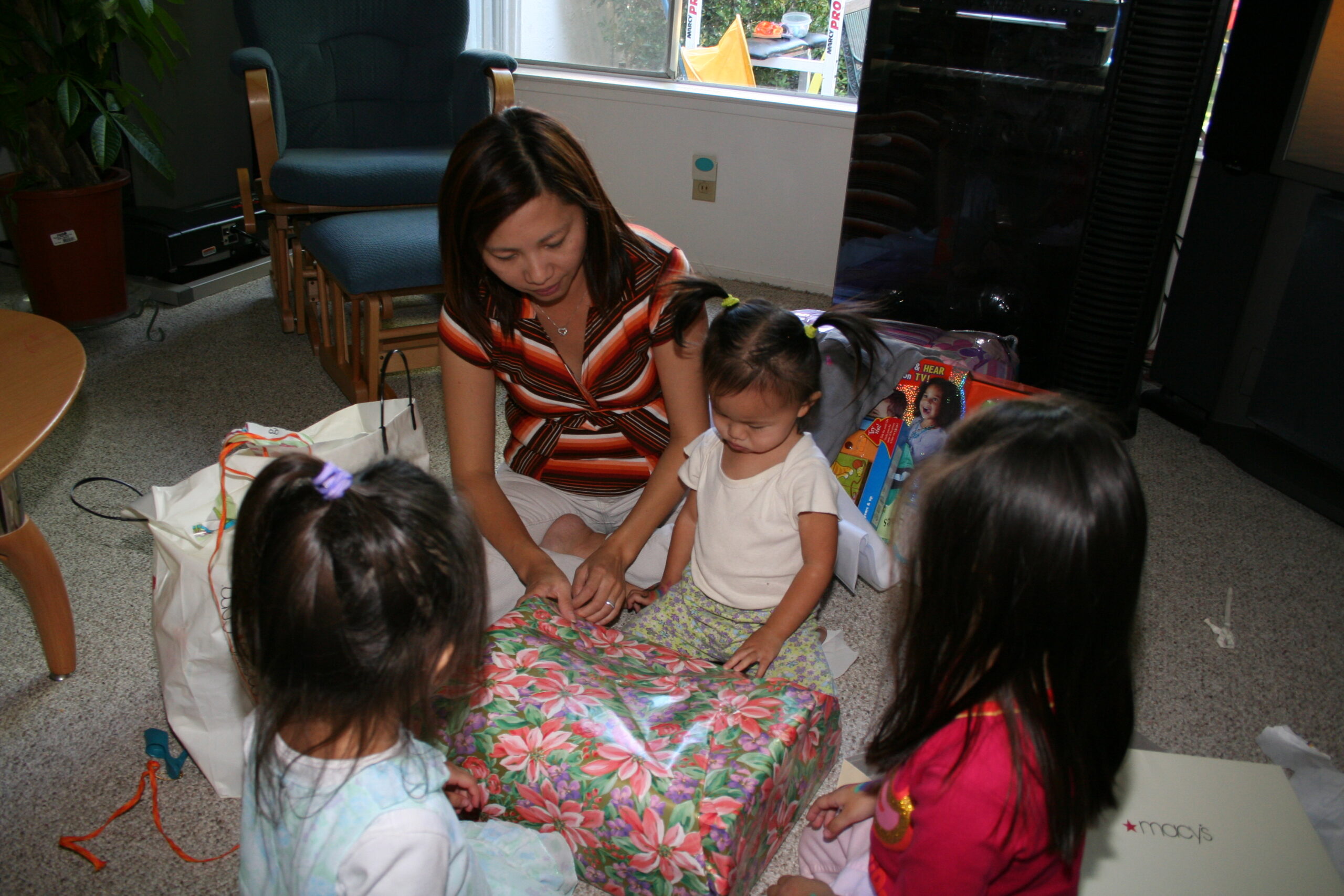
This past weekend we had a little party to celebrate Allison’s 2nd birthday. We had a clown coming over to put a show to entertain the kids. It was great fun.


4

I have been using Coppermine to manage my photos last few months. While powerful, its cool features are eclipsed by the overly complex interface. In addition, I had a hard time trying to integrate it with my blog. I ended up with two completely different skins for the blog & the gallery.

I stayed up late last 2 nites redoing my photo gallery. I dumped Coppermine and switched over to Gallery mainly because a plugin called WPG2 that enables photos from Gallery to be embedded within my blog. Finally, I used Peter Near’s theme for get the same look of my blog for gallery.

I had to spent a few hours hacking things a bit to get everything working together. So now, what do I get for 2 sleepless nites?

  • Uniform look for both the photo galleries & blog
  • Random image in the sidebar
  • Albums can be embedded in the blog
  • Individual photos can be embbedded in the blog

A few broken links here & there but I’ll get to fixing those later. I’ll take me a while to migrate all the photos. For now, things should be more seamless now. I’m quite satisfied with the result! 🙂

6

First there was Wensleydale, now it’s Stinking Bishop! More about these cheeses later…

So who are the dynamic duo pictured here? Wallace & Gromit are 2 characters in a series of claymation shorts from Britain. They are the creation from the same guy who made “Chicken Run.” Wallace is a basically a dimwit inventor; Gromit is his dog and also the real brain of the duo. Wallace likes cheese (a lot) and often gets himself in trouble only to be rescued by clever Gromit. Gromit doesn’t talk and only communicate with his facial expressions.

I first saw W&G shorts on PBS on one of their pledge drives in the ’90’s and I was rolling with laughter, hadn’t seen anything so hilarious! The fact that they were claymation was pretty bizarre then. It takes over a decade but a feature length W&G movie finally are hitting the big screen– it opens today. In these days of computer generated animation from Pixar & Disney, it’s refreshing to see animation made with good ol’ chunks of clay.

So now back to the references of the cheeses… So Wallace is really a big fan of cheese and his choice of cheese has been Wensleydale. The popularity of the film shorts propelled the cheese to be the best selling cheese in Britain for a number of years. In fact, Wensleydale Creamery claimed that W&G saved it from bankruptcy.

In the new movie, Wallace’s new cheese obsession is called Stinking Bishop. Being mentioned in a W&G movie makes Charles Mattell both happy and very nervous because he doesn’t think his small creamery will be able to cope with the surge of demand. His orders are already up 1200% even before the movie was released. He has a refreshing take on the whole thing:

“I’m quite happy with what I’ve got at the moment. I don’t need more money. I can only wear one suit at a time, or drive one car. And I certainly don’t want fame, ” said the cheese maker.

This movie will be a hit. How can it not with a cheese named Stinking Bishop?!?! 😉 I can’t wait to take Katelyn to go see it with us this Sunday!

0

The threat of a worldwide epidemic flu is pushing scientists to investigate the current flu virus in Asia. The virus strain that caused the Spanish flu of 1918 was resurrected in hope of better understanding of the current virus. The Spanish flu killed over 50 million people in 1918 and was also caused by virus in birds, just as the current virus in Asia.

0

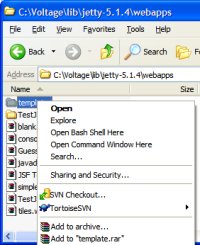
Bash HereMicrosoft has a Windows Powertoy that is basically a Windows shell extension enabling launching a command prompt for a selected folder. It’s really useful for command line users. I came across a way to add similar command for Bash shell. I think I saw this hack on one of the blogs last year. I only tried it on WinXP, so your milage will vary if you’re using older versions of windows.

The following assumes your Bash executable is installed on c:\cygwin\bin\bash.exe, replace that with the correct path on your system. Save the following to a file with .reg extension and simply double click it to install the registries. Once installed, you should see the “Open Bash Shell Here” command when you right click on a folder in Windows Explorer. Fairly straight forward.


Windows Registry Editor Version 5.00

[HKEY_CLASSES_ROOT\Directory\shell\bash]
@="Open Bash Shell Here"

[HKEY_CLASSES_ROOT\Directory\shell\bash\command]
@="c:\cygwin\bin\bash.exe --login -i -c 'cd "`cygpath "$*"`";bash' bash %L"

[HKEY_CLASSES_ROOT\Drive\shell\bash]
@="Open Bash Shell Here"

[HKEY_CLASSES_ROOT\Drive\shell\bash\command]
@="c:\cygwin\bin\bash.exe --login -i -c 'cd "`cygpath "$*"`";bash' bash %L"

0

Adobe Photoshop Elements (PE) started out as a poor stepchild version of Photoshop. Starting version 3.0 though, Adobe added photo management functionalities by merging Adobe Photo Album into PE. It has since grown into a full blown photo management/editing package.

I’ve been using Photo Album to organize my digital photos since version 1.0. So I was naturally looking forward to v4.0 when I first saw Adobe’s announcement of the upgrade last week. After rushing the kids to bed this evening, I got to spent about an hour playing with it and here’re my initial thoughts of the new version.

Editor
This forementioned part of the product is a stripped down version of Adobe Photoshop CS. While I don’t generally use this editor much anymore (I admit that I have become a CS bigot), I initially preferred the simplified UI of PE. For example, PE Editor has two modes: Standard and Quick Fix. Quick Fix is the idiot-proof mode designed for cousin Bubba. Basically, think of it as a “cookbook” of photo-editing “recipes” to fix common problems, as suppose to the free form editing of the standard mode. This mode is designed to appeal to beginners.

At the same time, I want to point out that with every release, more and more CS features migrate over to PE. In addition to the famous healing brush in v3, this new version adds more editing goodies like auto red eye removal and skin tone adjustment.

Organizer
The Organizer enables you to manage your photos. One of its best feature is the time line; basically it shows a history gram of monthly distribution of all your photos– very cool. I am almost certain that most people are used to include date/time as part of the file names to clue themselves with the chronology. You can do without that with an management software like PE. In fact, I find that I no longer care about file names; I stopped thinking in terms of a file system!

Organizer uses a tagging system as a fine grain management scheme. You can create tags to represent people, places, events etc… Tagging your photo enables you to recall a subset of photos later. For example, I can create a Katelyn tag and a Hawaii tag. Selecting these two tags later should recall Katelyn’s photos taken in Hawaii. Of course this tagging mechanism is only effective if you tag most if not all of your photos. Well, I’m too darn lazy to be consistent about tagging every imported picture.

The biggest gripe I have about PE is the fact that the tagging info isn’t written as meta data onto the photo file itself. I’m disappointed that v4 still write tag info to the catalog instead of the individual files. The main reason I want this behavior is so that I won’t lose my tagging info when my catalog database gets corrupted (it happened to me before), when I upgrade my OS or when I swap to another organizer software. I don’t like having a possibility of losing information painstakingly created.

To facilitate tagging, this new version introduces Find Faces. This is the cool idea that isn’t very well implemented unfortunately. Basically, the feature is suppose to scourge your selection of photos and isolate those with human faces so that you can tag them. It sounded cool but too good to be true when I first read about it, so I kept my expectations low. It works best with photos of decent contrast & lighting; in addition, it seems to only work with faces facing in the general direction of the camera. When I tried it with faces with a hat or sunglasses, it fails. The AI has room for improvement, but still this feature should save me some time with tagging.

It is worthwhile to note that v3 introduced Find Similar– another AI-based feature that I though was pretty cool. The idea is that given a photo, this command will fetch you the photos with similar color maps, contrast etc… For example, given a photo of a beach, it would find you other photos that have sandy tones with aqua colors of the ocean and blue shades of the blue sky. Again like Find Faces, Find Similar doesn’t work as advertised most of the time. It tends to be overly aggressive with its matching algorithm, including many photos that it shouldn’t.

V3 introduces the concept of version sets and photo stacks. I use these a lot. You can group a bunch of related photos into a stack. Normally, it’s displayed as one photo (top photo) with a stack icon. You can view the stacked photos as a group. Version sets is similar except that it’s used for group the different versions of the same photos. For example, if you post-process your photo, you’d end up with a version set of 2 photos (original + processed).

I had hoped that the Organizer would be faster but I didn’t detect any improvement so far. I shoot with a dSLR so my files are much larger than point & shooters. This is especially true lately now that I started to shoot RAW. So perhaps the big files are the reason I don’t see speed improvements.

Sharing
PE provides many different ways to share photos ranging from creating VCDs, web galleries, slideshows, greeting cards, and calendar. This version adds a pretty cool slideshow editor. With it, you can specify scene transitions and audio be it background music or narration. You can also configure a slideshow to pan & span photos ala Ken Burns’ documentaries. The slideshow can then be exported into movie files or burned into a VCD to be played on a DVD player. Very cool but it would be ultra cool if you can burn them as DVD; VCDs are just unwatchable for me (its quality is worse than VHS).

Yet another cool feature is online print. With a drag of a mouse you can send photo to online printing services (currently the only choice is Kodak, but Adobe is planning to add more) and mail them to your doorsteps, or to your friends & family. Very convenient.

Final Thoughts
All in all, v4 is an incremental upgrade. Nothing revolutionary and nothing I deem as gotta have. There a few unique new features that appeal to geeks like me. But with everything considered and with only a few hours of usage, I’d say that I am generally happy with the upgrade. Hopefully, new features like Find Faces and Tagging will be better with future releases.

As a photo management software suite, Photoshop Elements is a good deal. It’s far from perfect, but you can’t really go wrong considering its list price of $99 (so who pay full list price anyway). It has more functionalities than its peers– just short of a kitchen sink. Bottom line is that it does its job well: manage and fix the ever-increasing load digital photos.

0

monitorWow… This is just drop dead cool and it makes my double monitor setup at home just look dinky now… 🙁